
The L'arc Casino mobile application delivers full gaming functionality optimized for Kenyan network conditions. Available for Android and iOS devices, the app supports M-Pesa transactions, live dealer games, sports betting, and slot libraries accessible on 3G/4G connections across Safaricom, Airtel, and Telkom networks. Data consumption averages 12-18MB per hour of standard gameplay.
The mobile app replicates desktop functionality while adding features specific to portable devices. Push notifications alert users to bonus activations, sports event starts, and jackpot updates. Biometric authentication (Face ID, fingerprint) replaces password entry for faster access. Offline mode lets you browse game catalogs and review betting history without active connection—though actual gameplay requires internet access.
Performance optimization targets mid-range devices common in Kenya. A Samsung Galaxy A14 or Tecno Spark 10 Pro handles the app smoothly; whereby iPhone 8 and newer models provide comparable experience on iOS. The software compresses game assets dynamically based on connection speed, loading low-resolution graphics on slower networks and upgrading quality when bandwidth improves.
Account balance, bet history, and game progress synchronize across mobile and desktop instantly. Start a slot session on your phone, continue on laptop.
Deposits and withdrawals process within the app. No toggling to M-Pesa toolkit—enter PIN directly in L'arc Casino interface.
Receive alerts for bonus expiration, live match odds changes, jackpot milestones, and promotional offers tailored to your activity.
Fingerprint or Face ID login replaces password entry. Adds security layer while reducing signin time to under 2 seconds.
Reduces bandwidth consumption to 8-12MB per hour by limiting animations and preloading. Ideal for areas with expensive data plans.
Access 800+ slots, live dealer tables, crash games, and sportsbook. Game selection matches desktop without restrictions.
Google Play Store restrictions prevent direct real-money casino app listings in Kenya. You'll download the APK file from L'arc Casino's official website instead—this is standard procedure for licensed operators, not a security risk. Installation takes 3-4 minutes once you adjust device settings.
Navigate to larccasinonokenya.com using Chrome or your preferred mobile browser. Locate the "Download Android App" button typically positioned in the website's top banner. Tap it to initiate the APK download (file size approximately 45-65MB depending on version). Your phone displays a warning about installing apps from unknown sources—this is expected.
Open Settings > Security (or Privacy on some devices). Find "Install Unknown Apps" or "Unknown Sources" toggle. Select your browser (Chrome, Firefox, etc.) from the list and enable installation permission. This doesn't compromise device security; it simply allows APK installs outside Google Play.
Return to your Downloads folder and tap the L'arc Casino APK file. Android prompts you to review app permissions—the casino requires access to storage (for caching games), network (for connectivity), and optionally camera (for document verification during KYC). Tap Install and wait 30-60 seconds. The app icon appears on your home screen once installation completes.
Launch the app and log in with your existing account credentials, or create a new account directly through the mobile interface. First launch downloads an additional 40-80MB of game assets—connect to Wi-Fi for this initial setup to conserve mobile data.
iPhone users access L'arc Casino through a web app or direct App Store download, depending on current Apple policies for gambling applications in Kenya. Apple's stricter regulations mean installation methods vary by licensing agreements and regional availability.
Visit larccasinonokenya.com in Safari (must be Safari, not Chrome). Tap the Share icon at the bottom of the screen, then select "Add to Home Screen" from the menu. Name the shortcut "L'arc Casino" and tap Add. This creates an app-like icon on your home screen that launches the mobile-optimized website in fullscreen mode—functionally identical to a native app but without App Store involvement.
The web app approach offers advantages: no storage consumption beyond Safari cache, automatic updates without manual downloads, and immediate access to new features as they deploy server-side. Performance on iPhone 8 through iPhone 15 remains smooth with average load times of 2-3 seconds per screen transition.
OS Version: Android 7.0 or newer
RAM: Minimum 2GB (4GB recommended)
Storage: 150MB free space
Processor: Quad-core 1.5GHz+
Screen: 5-inch display minimum
OS Version: iOS 12.0 or newer
RAM: 2GB (built-in to iPhone 8+)
Storage: 100MB free space
Devices: iPhone 8, SE (2nd gen), or newer
Browser: Safari 12+ for web app
Connection: 3G minimum (4G/LTE recommended)
Speed: 2 Mbps+ for live dealer
Data Usage: 12-18MB/hour standard
Providers: Safaricom, Airtel, Telkom compatible
The app and desktop platform share identical game libraries, payment methods, and bonus structures. Differences emerge in interface design and performance characteristics rather than available features.












📍 Ring Rd Kilimani, Nairobi | 📞 0743 369318
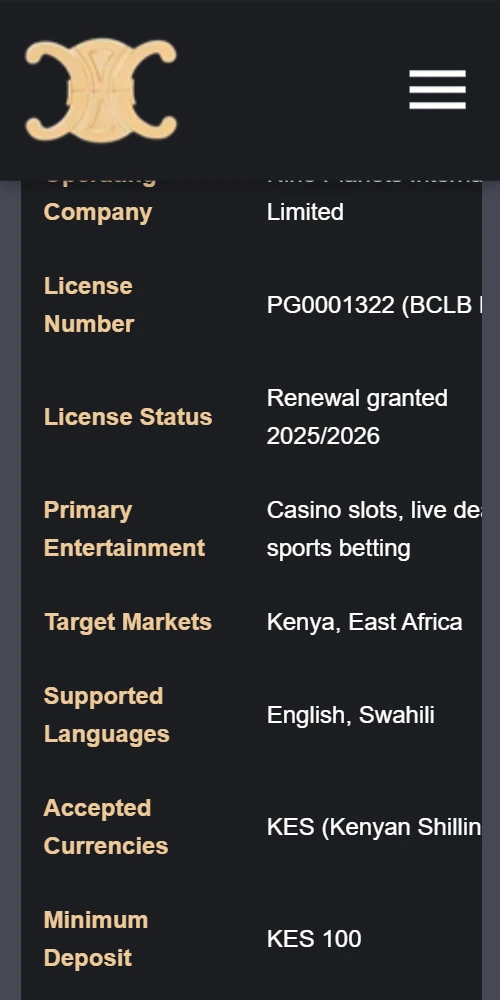
Licensed and regulated by the Betting Control and Licensing Board (BCLB), Kenya. Operator: Nine Planets International Limited | License: PG0001322
L'arc Casino Kenya operates under the Gambling Control Act, 2025. Players must be 18+ years. Gamble responsibly.
© 2025 L'arc Casino Kenya. All rights reserved.

